Next.js Blogging CMS With AI Editing Features
Here's my new blogging tool I made for my Next.js website
I made a really cool MDX-powered blog for Next.js and a blogging CMS web app to manage the posts, and I'm here to tell you how freaking awesome it is.
If you want to check out the code for the CMS, here is the GitHub repo. But be warned, I really did make this for myself, so you may need to figure some things out to get it working for you. But it should work with any local folder that has MDX files in it. Let me know if you try it out!
A Vibe-Coded CMS Tool
So I have a lot of WordPress experience, and my first thought was "I do not want to use Wordpress. " I don't want a LAMP stack, I don't want to write PHP. I don't want plugins. I don't need to solve every blogging problem in the world. I just need something really light and easy to write with.
In the past, I would really need something like WordPress, or some other out-of-the-box CMS, because the time to build something useful is so high that an out-of-the-box tool would be necessary. But now we live in an age where reinventing the wheel is cheaper and better than buying a used wheel.
My first goal was just to get something really simple together that lets me write MDX files in my Next.Js Project. I would have been okay with writing MDX files directly in my IDE, so I wanted to start with something just one step better than that. Here's what I came up with and the features that evolved from that initial step.
1. A clean UI for editing local files that invites writing
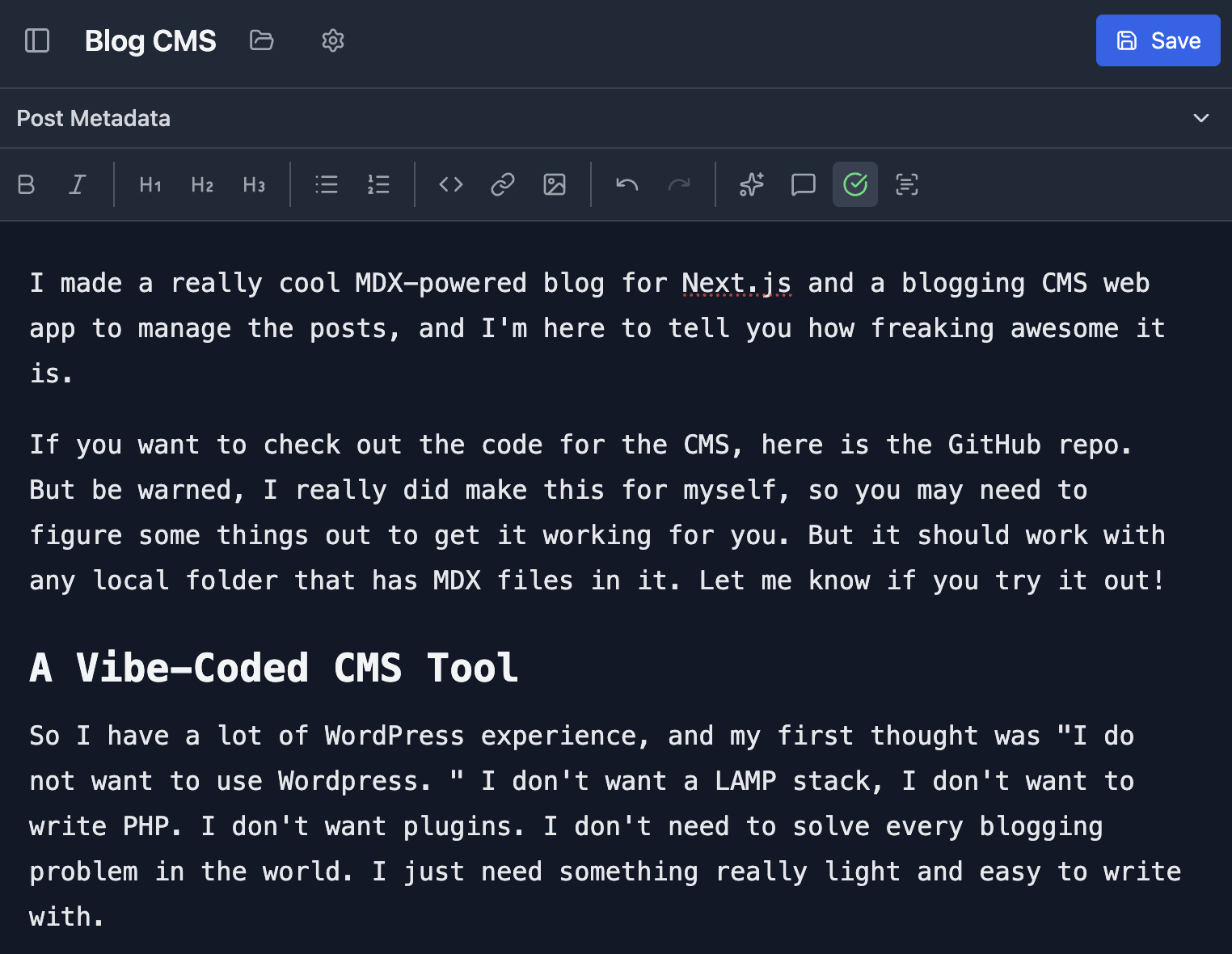
I realized that since this is just for me, I don't care about having a web-app published. I can just run something locally that edits local files. There is no authentication, so there is no need to worry about security. Just write files into my local repo and push them to publish new posts. Simple as. With that, I also wanted a UI that gets out of the way and lets me write. Inspired by IA Writer Pro, I made the header and sidebar collapsible so there is a very large space for writing. I also made it so I can change the editor to pick a font that matches my rainbow of moods.
Otherwise it's got all the other things you'd expect from a typical WYSIWYG editor: formatting tools, save as draft, tags, post date, and the ability to delete posts.
2. AI autocomplete
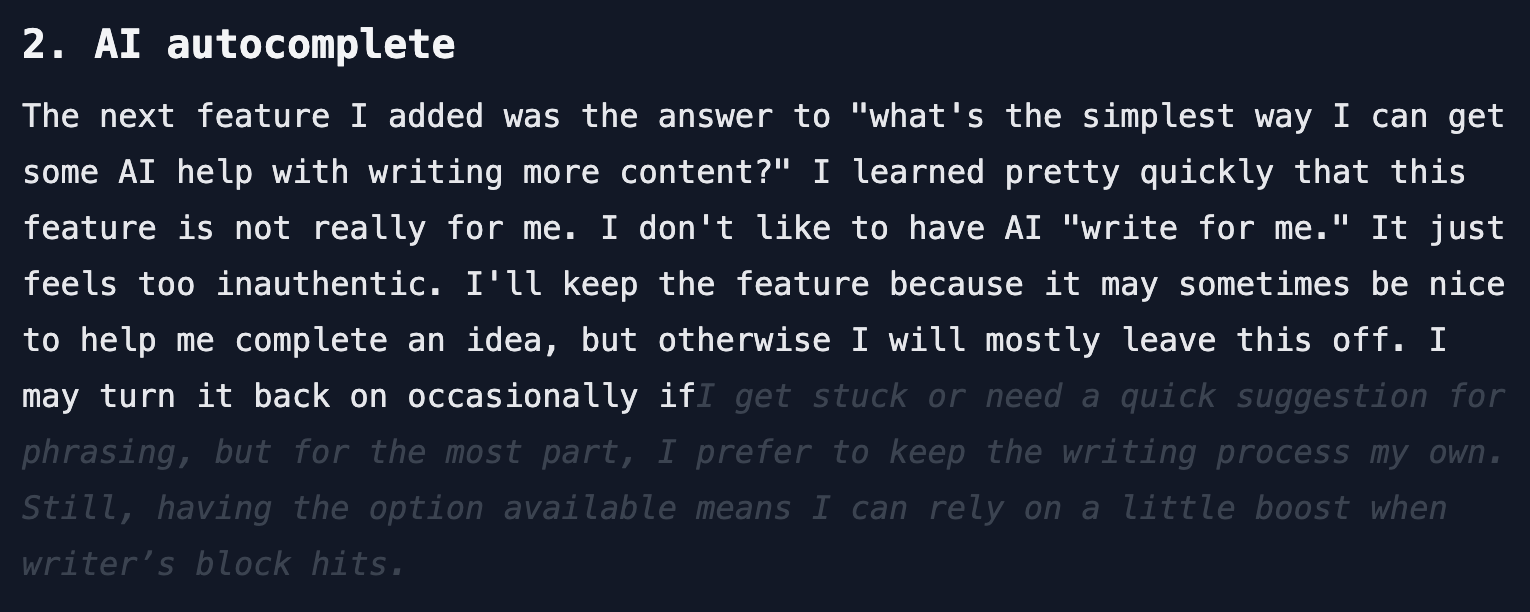
The next feature I added was the answer to "what's the simplest way I can get some AI help with writing more content?" I learned pretty quickly that this feature is not really for me. I don't like to have AI "write for me." It just feels too inauthentic. I'll keep the feature because it may sometimes be nice to help me complete an idea, but otherwise I will mostly leave this off.
3. AI review
Since AI autocomplete doesn't really do it for me, I wanted to at least save myself the step of pasting into ChatGPT to get feedback and potential rewrites, so I made a feature that lets me do that within the editor. Here's how it works: I can select some text, or select nothing if I want a full post review, then click the "review" button. A model opens, and after a pause, I get a set of notes back from an LLM. I can provide feedback on the notes to revise them as many times as needed until I receive feedback I'm happy with. From there, I also have the option of letting the AI rewrite the selected content.
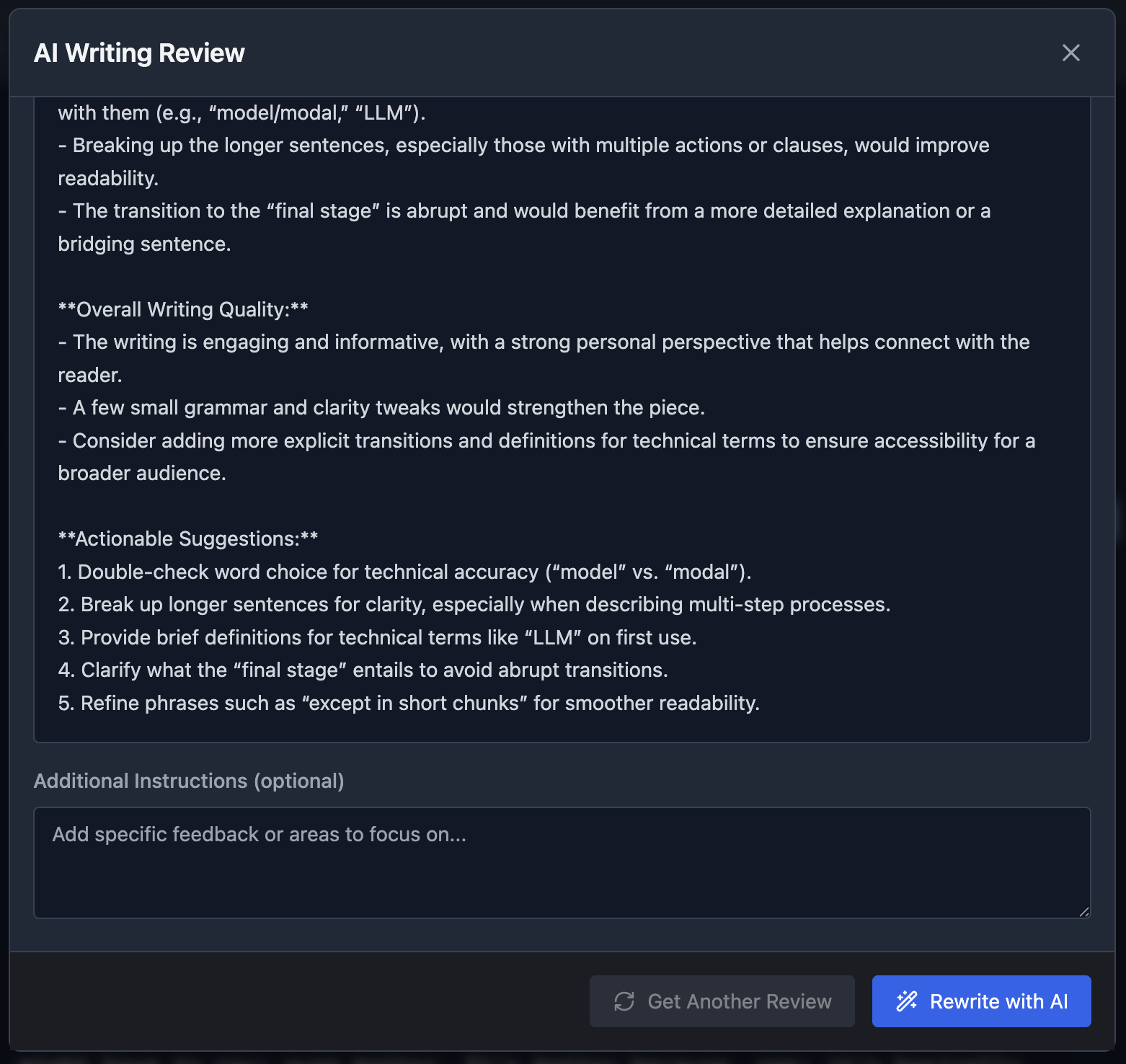
This is another feature I'm hesitant to use, except in short chunks. I don't like letting the AI do a full rewrite of my post, because again I lose my voice. So I moved on to the final stage, the best mix of AI help with human writing.
3. In-line writing suggestions with highlighting
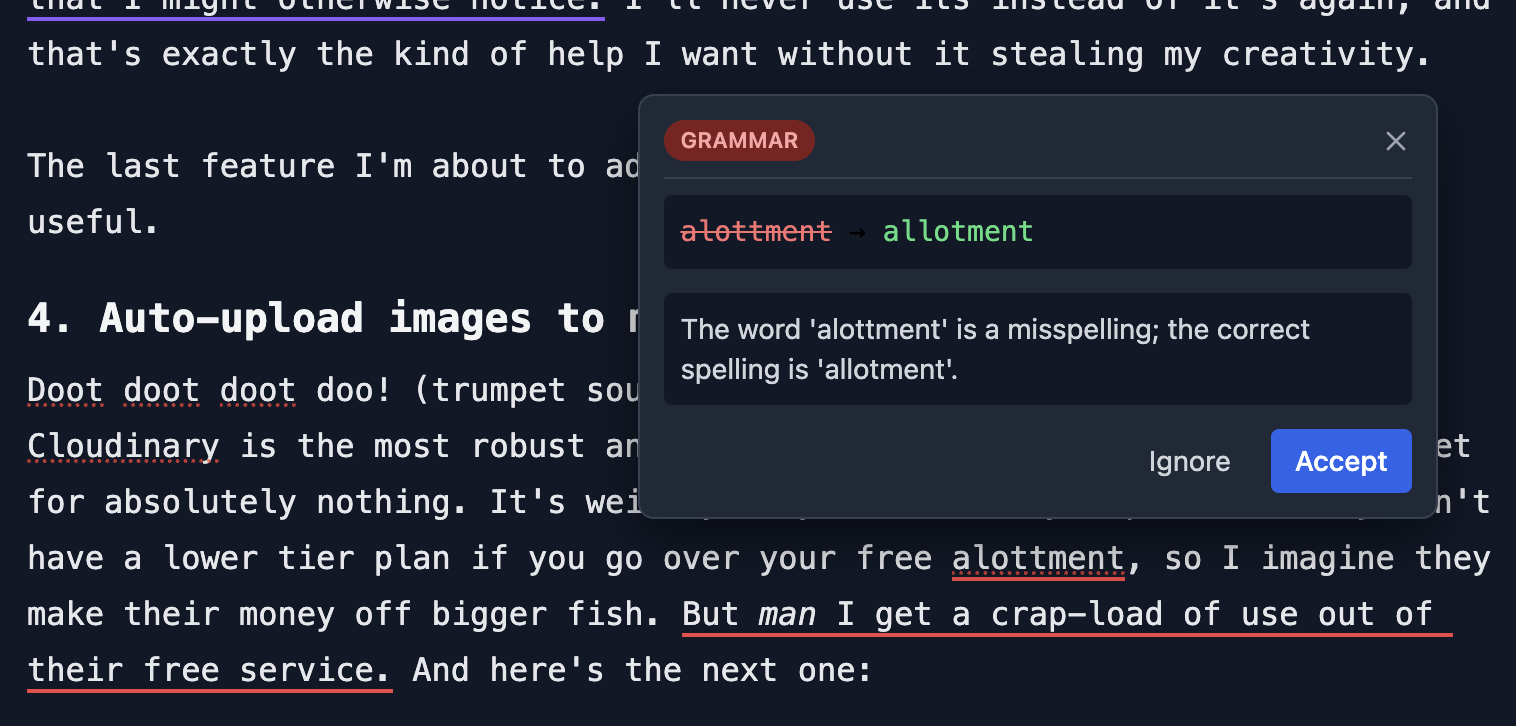
This feature is just the best. It's basically what Grammarly does, but I might have to say: even better. It's better because, one: it's basically free. Two: I can use the best models around. And three: I made it so that I can give a system prompt to steer it toward whatever writing style or tone I choose.
The in-line writing suggestions will automatically check every sentence I complete. Alternatively, I can select some text and click the "scan" button, which will then do a review of every sentence in the selection.
One downside is that it's not as context-aware as a full review. It will only know about the sentence being reviewed plus the couple of sentences preceding it. But that's okay; I have the bigger review feature if I need to get my words reviewed at a higher level. This is great because it doesn't "write for me" and it finds and fixes every little nit-picky mistake that I might otherwise miss. I'll never use its instead of it's again, and that's exactly the kind of help I want without it stealing my creativity.
The last feature I'm about to add is not AI-powered, but its not any less useful.
4. Auto-upload images to my image hosting service
Doot doot doot doo! (trumpet sound). Cloudinary to the rescue once again. Cloudinary is the most robust and awesome image hosting service you can get for absolutely nothing. It's weirdly only free or very expensive. They don't have a lower tier plan if you go over your free allotment, so I imagine they make their money off bigger fish. But man, I get a crap-load of use out of their free service. And here's the next one:
I have not built this yet, but by the time I finish this post, I intend to implement a way to drop images into the editor where I want them to appear (or pressing cmd+v at the cursor location) and for that image to be uploaded to Cloudinary so it will be embedded in the post. I am pretty sure this is possible, but if not, I will add a Cloudinary uploader as the next best option.
Here's a test image to check if it worked:

heck yes!
What's next?
The lovely thing about using AI-powered development is that I can iterate as much as needed. Any idea that pops into my head is only moments away from being implemented. Claude is currently working on the Cloudinary feature I just mentioned. The downside is that because I have not been keeping a sharp eye on the code, it's in terrible shape. It's reaching the point where every new feature may cause a regression. I don't recommend this for serious user-facing software or something that manages important data, but it's a great option for a scrappy little web app for personal use.